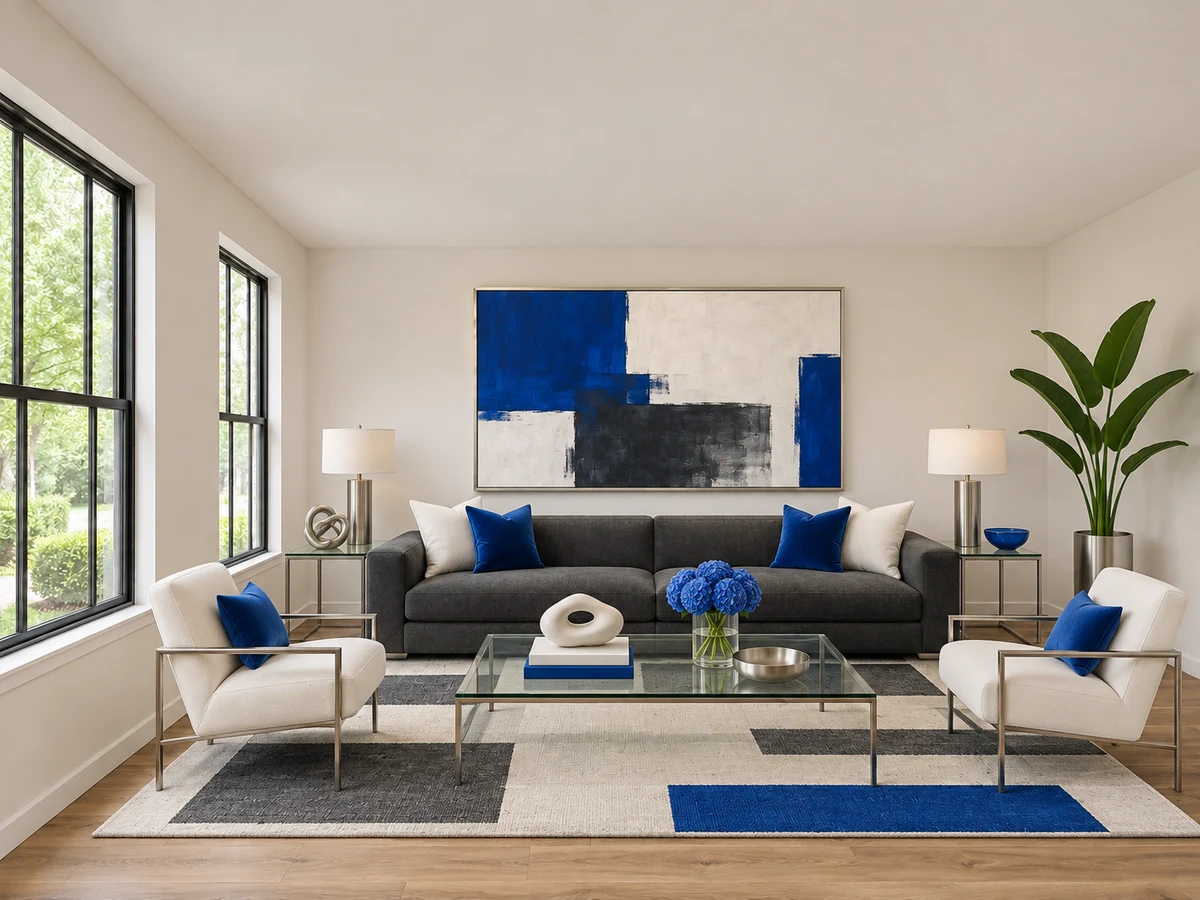
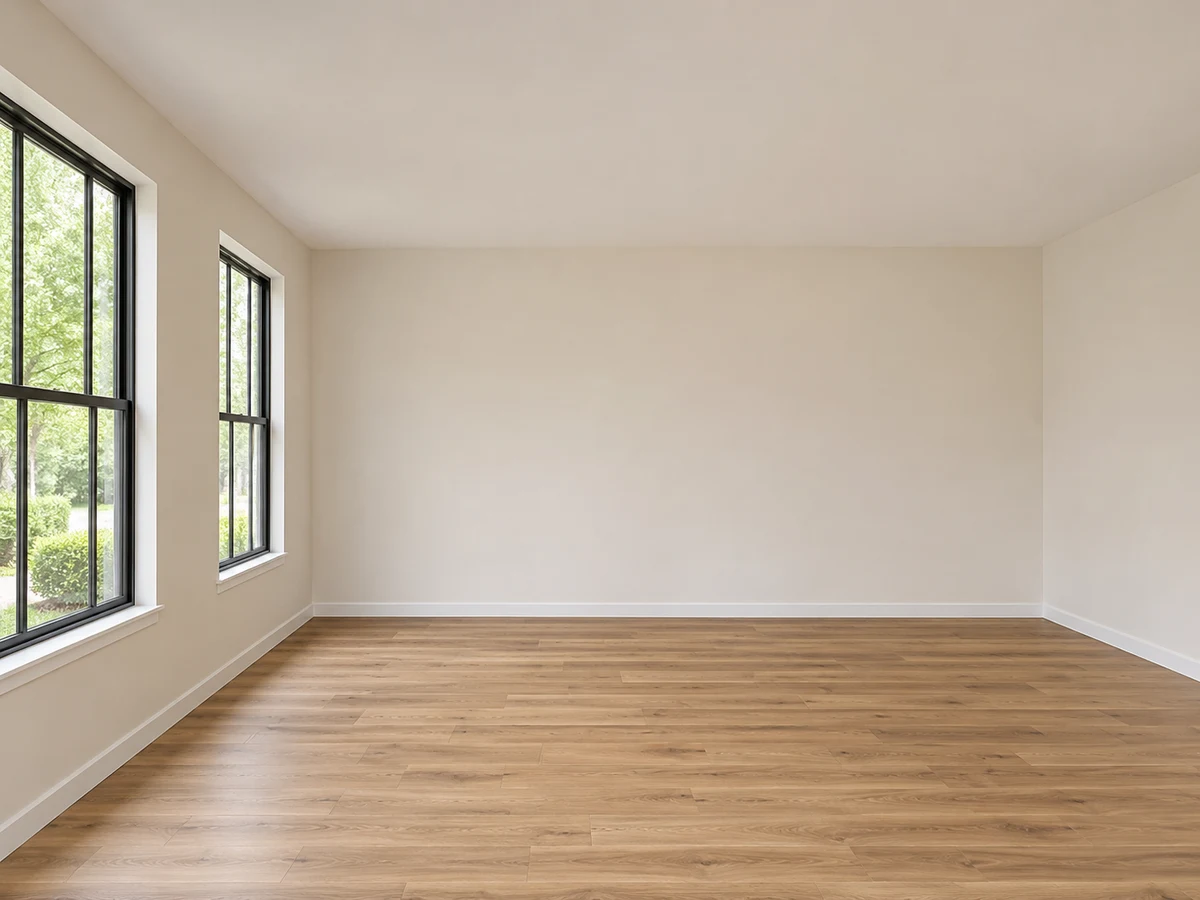
The Staging Wizard style collection
Virtual staging styles.
Your way.
Explore 12 looks in the same room. Have another style in mind? Describe it in your prompt—even blend your favorite looks.
Meet all 12 styles ↓A look for every vision
Meet the collection.
From understated to expressive, find the details that make each style its own.
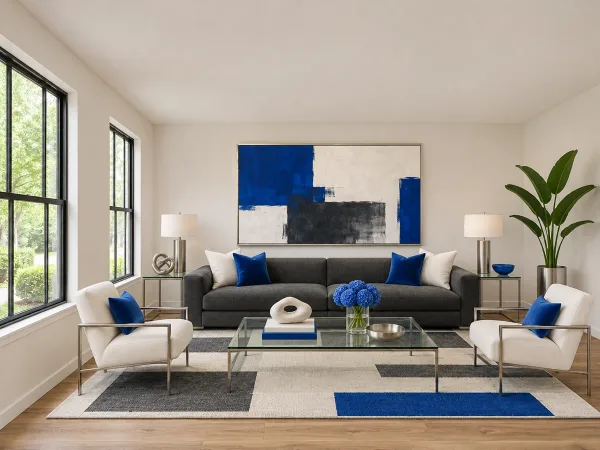 Virtually staged
Modern
01
Clean lines. Clear purpose.
Low-profile furniture, crisp shapes, and a restrained palette give the room a polished, uncluttered feel. Glass and metal accents keep the look light, with a bold color adding definition.
- Clean silhouettes
- Glass & metal
- Confident accents
A crisp, composed look for open living areas and contemporary homes.
Explore Modern ↗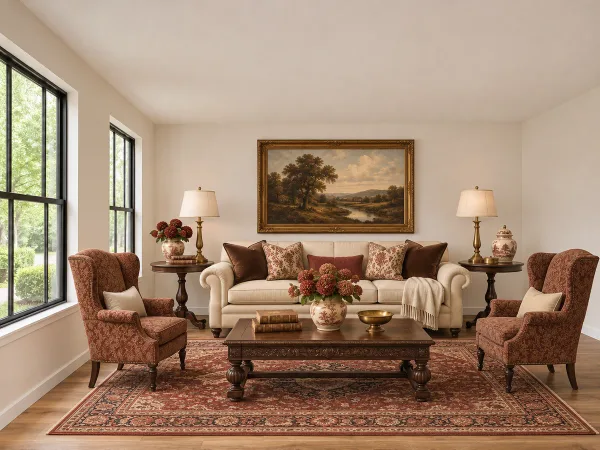 Virtually staged
Traditional
02
Familiar, warm, and timeless.
Rolled arms, rich wood, and a classic patterned rug create a welcoming room with a sense of history. Balanced furniture arrangements and warm details make the space feel settled and inviting.
- Rich wood
- Classic patterns
- Balanced arrangements
A welcoming direction for classic architecture and formal living rooms.
Explore Traditional ↗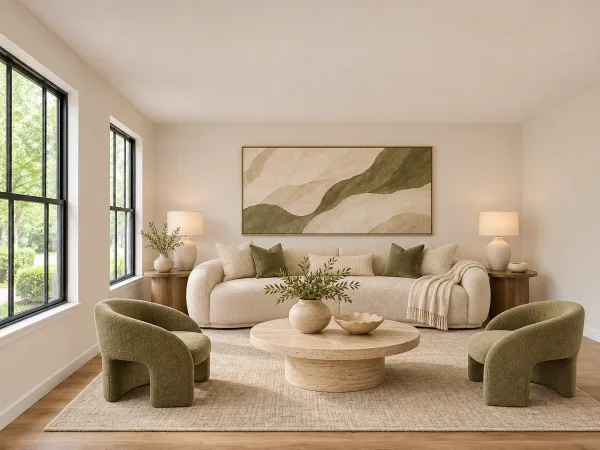 Virtually staged
Contemporary
03
Soft curves. A fresh perspective.
Sculptural seating, organic shapes, and tactile materials create a fresh, relaxed interior. A neutral foundation lets curved furniture and natural stone become the focal points.
- Sculptural curves
- Natural stone
- Textured neutrals
An expressive, current look for light-filled rooms and open layouts.
Explore Contemporary ↗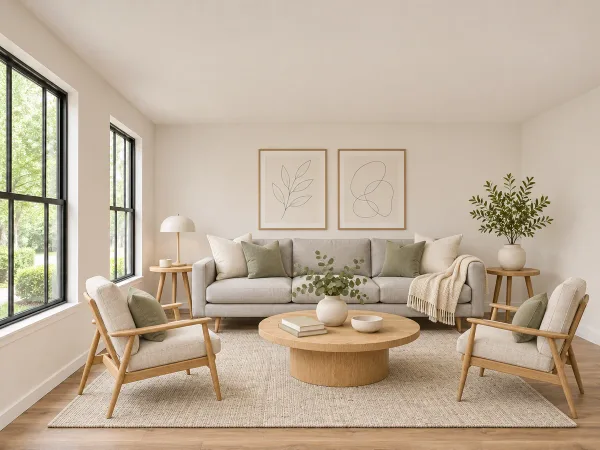 Virtually staged
Scandinavian
04
Light, simple, and quietly cozy.
Pale wood, soft textiles, and gentle colors bring warmth to a pared-back room. Functional furniture and a few thoughtful accessories make the space feel easy to live in.
- Pale oak
- Soft textiles
- Airy palette
A bright, approachable feel for compact rooms and everyday living spaces.
Explore Scandinavian ↗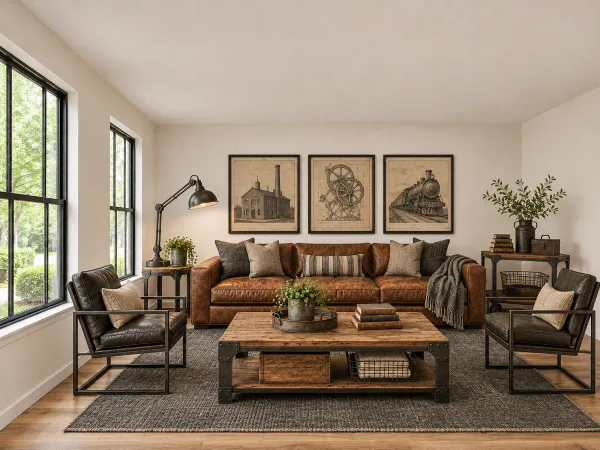 Virtually staged
Industrial
05
Character in every material.
Cognac leather, weathered wood, and black metal bring depth and contrast to the room. Practical shapes and substantial materials give the furniture a grounded, urban character.
- Cognac leather
- Weathered wood
- Black metal
A distinctive choice for lofts, studios, and spaces with architectural character.
Explore Industrial ↗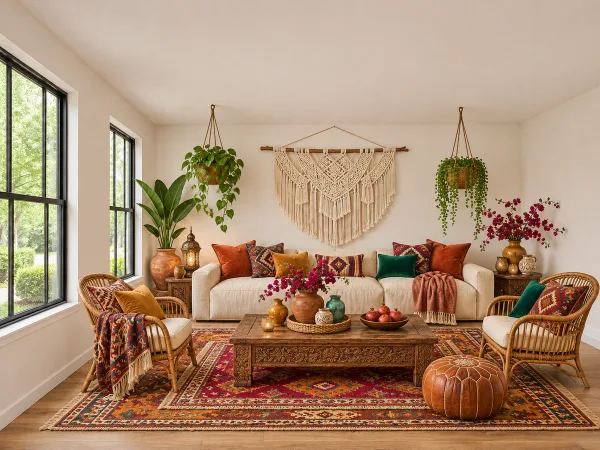 Virtually staged
Bohemian
06
Layered, collected, and full of life.
Woven textures, patterned rugs, and earthy colors create a relaxed, personal atmosphere. Rattan seating, plants, and mixed accessories make the room feel collected over time.
- Woven textures
- Layered patterns
- Earthy color
A relaxed, expressive look for creative spaces and casual living rooms.
Explore Bohemian ↗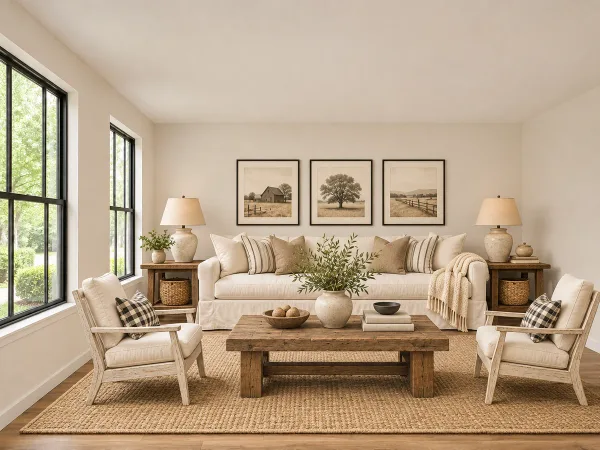 Virtually staged
Farmhouse
07
Comfort with a country soul.
Creamy upholstery, rustic wood, and woven accents make this room feel warm and approachable. Simple furnishings and practical details create an easygoing sense of home.
- Creamy linen
- Rustic wood
- Woven accents
A comfortable direction for family living areas and country-inspired homes.
Explore Farmhouse ↗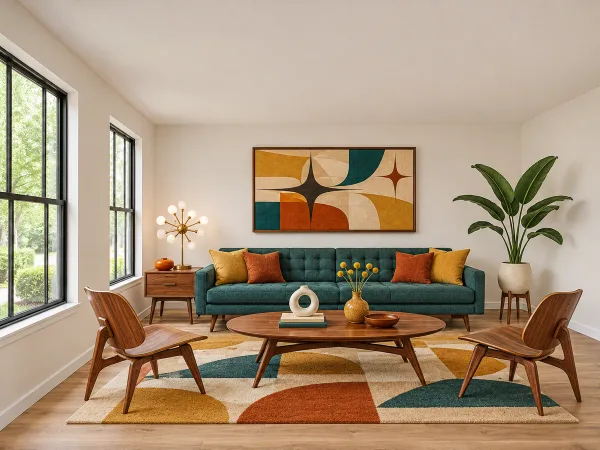 Virtually staged
Mid-Century Modern
08
Iconic shapes. Playful color.
Tapered legs, warm walnut, and streamlined silhouettes give this room its distinctive rhythm. Teal, mustard, and geometric artwork add personality without crowding the space.
- Warm walnut
- Tapered legs
- Geometric accents
A characterful look for retro architecture, condos, and modern living areas.
Explore Mid-Century Modern ↗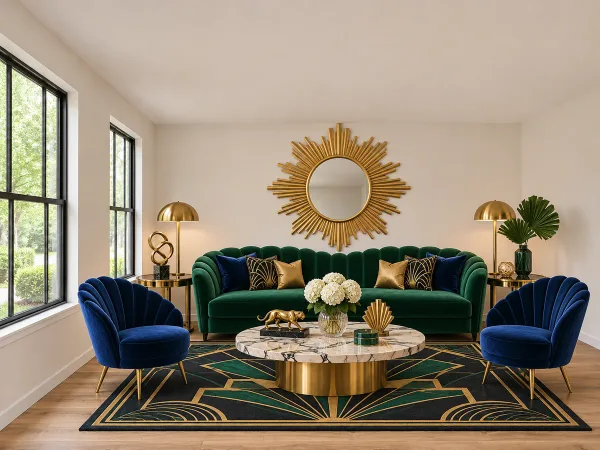 Virtually staged
Art Deco
09
A little drama. A lot of presence.
Jewel-toned velvet, polished brass, and bold geometry make the room feel glamorous. Curved seating and statement accents create a rich, deliberate focal point.
- Jewel-tone velvet
- Polished brass
- Bold geometry
An expressive option for statement rooms and interiors with a luxurious mood.
Explore Art Deco ↗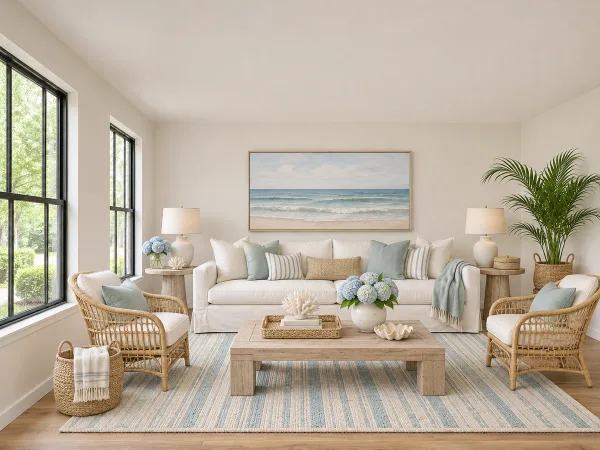 Virtually staged
Coastal
10
An easy, breezy state of mind.
Soft blues, sandy neutrals, and natural woven materials bring an airy feeling indoors. Relaxed upholstery and light wood keep the room comfortable and open.
- Soft blues
- Light wood
- Natural fibers
A relaxed direction for beach homes, vacation properties, and sunny rooms.
Explore Coastal ↗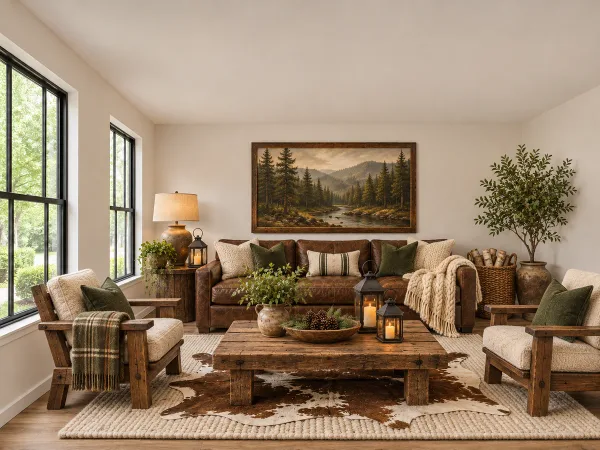 Virtually staged
Rustic
11
Warmth you can almost feel.
Rough-hewn wood, leather, and substantial textiles give the space a grounded, comfortable quality. Warm browns and forest-inspired accents connect the room to the outdoors.
- Rough-hewn wood
- Leather & wool
- Warm earth tones
A natural fit for cabins, rural homes, and rooms with rugged character.
Explore Rustic ↗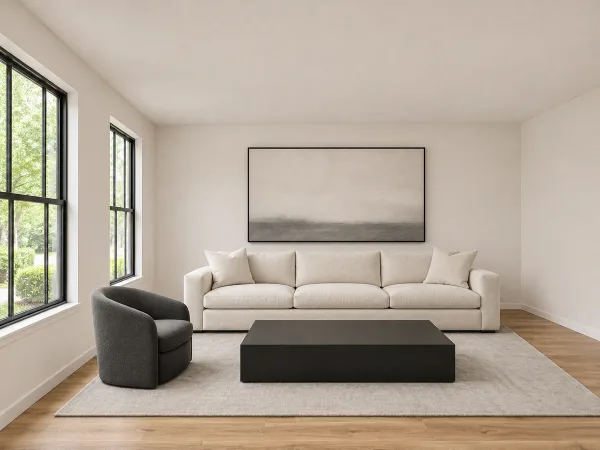 Virtually staged
Minimalist
12
Room to breathe.
A small number of carefully chosen pieces lets the space speak for itself. Simple forms, quiet colors, and open surfaces create a calm room with very little visual distraction.
- Simple forms
- Quiet colors
- Open space
A calm, restrained look for compact interiors and clean architectural spaces.
Explore Minimalist ↗
Make it your own
Your photo. Your favorite style.
Upload a room, choose Full Furnishing, and pick a Design Style or describe your own in the prompt. Adjust the lighting and staging approach to shape the result.
Start staging ↗- 01
Start with your photo
Choose a clear photo that shows the room and its layout.
- 02
Choose a direction
Preview a preset in the Design Style menu, or describe any style in your prompt.
- 03
Make the finishing touches
Review your result and refine the details to fit your vision.
Choosing your virtual staging style
Can I use a style beyond these 12 options?
Yes. The presets are starting points, not a limit. Describe any style in your prompt, combine different looks, or specify colors, materials, furniture, and mood. For example: “A warm Japandi living room with pale oak, linen seating, and sculptural lighting.”
How do I choose a style for my listing?
Start with the room’s architecture and the atmosphere you want to create. Compare the examples above, then choose a preset or describe your own direction. Modern and Minimalist emphasize clean lines; Traditional and Rustic bring warmer, more layered details.
What is the difference between Modern and Contemporary?
Our Modern example uses crisp lines and a streamlined arrangement. Contemporary introduces softer curves, sculptural shapes, and tactile materials. Compare both in the same room to see which direction fits your space.
Will my room look exactly like these examples?
These images illustrate each style using the same starting room. Your result will depend on your room photo, prompt, and staging selections. Use the examples to choose a direction, then refine the result to suit your vision.
Learn about virtual stagingView pricingMore questions